 AI with Breakfast
Building with AI Before Breakfast: Speak to Anyone
 Lee
LeeBuilt in this post
Speak to Anyone
Web
How I built a tiny tool that solves the most awkward problem in multilingual cities
Abu Dhabi is home to more than a hundred nationalities. Arabic is the national language. English is the default business language. But in everyday life you are just as likely to hear Hindi, Urdu, Malayalam, Tagalog, Bengali, Tamil, Pashto, Nepali, Mandarin, Russian, Swahili, or dozens more, plus regional dialects.
And there is one small, surprisingly painful problem that sits right at the start of every cross language interaction.
If someone does not speak English (and all you speak is English), you cannot even ask them what language they speak.
You can smile, gesture, point, and try a few words. But if the very first question cannot be understood, you never reach the translation step. You are stuck in the fog of good intentions.
This week, over breakfast, I built a simple utility to fix that first step.
It is called Speak to Anyone and it lives at sta.leemallon.com.

The problem translation apps do not solve
Google Translate is excellent. Apple Translate is solid. Microsoft Translator exists. There are plenty of options.
But they all assume you already know what language to translate into.
In a multilingual city, that assumption breaks constantly.
You might be speaking to a delivery rider. A maintenance engineer. A taxi driver. A shop worker. A security guard. A neighbor. A cleaner in your building. Someone visiting a government office. Someone at a hospital reception desk. Someone who is new to the country and nervous.
Often the message is simple.
Where are you from
Do you speak
This is the right building
Please wait one moment
Could you call this number
Do you need help
But the first doorway is locked, because you cannot ask the question that would unlock it.
The core insight
Everyone recognises their own flag.
Even if someone cannot read English, they can usually spot the flag of their country instantly. It is visual. It is familiar. It requires no shared vocabulary.
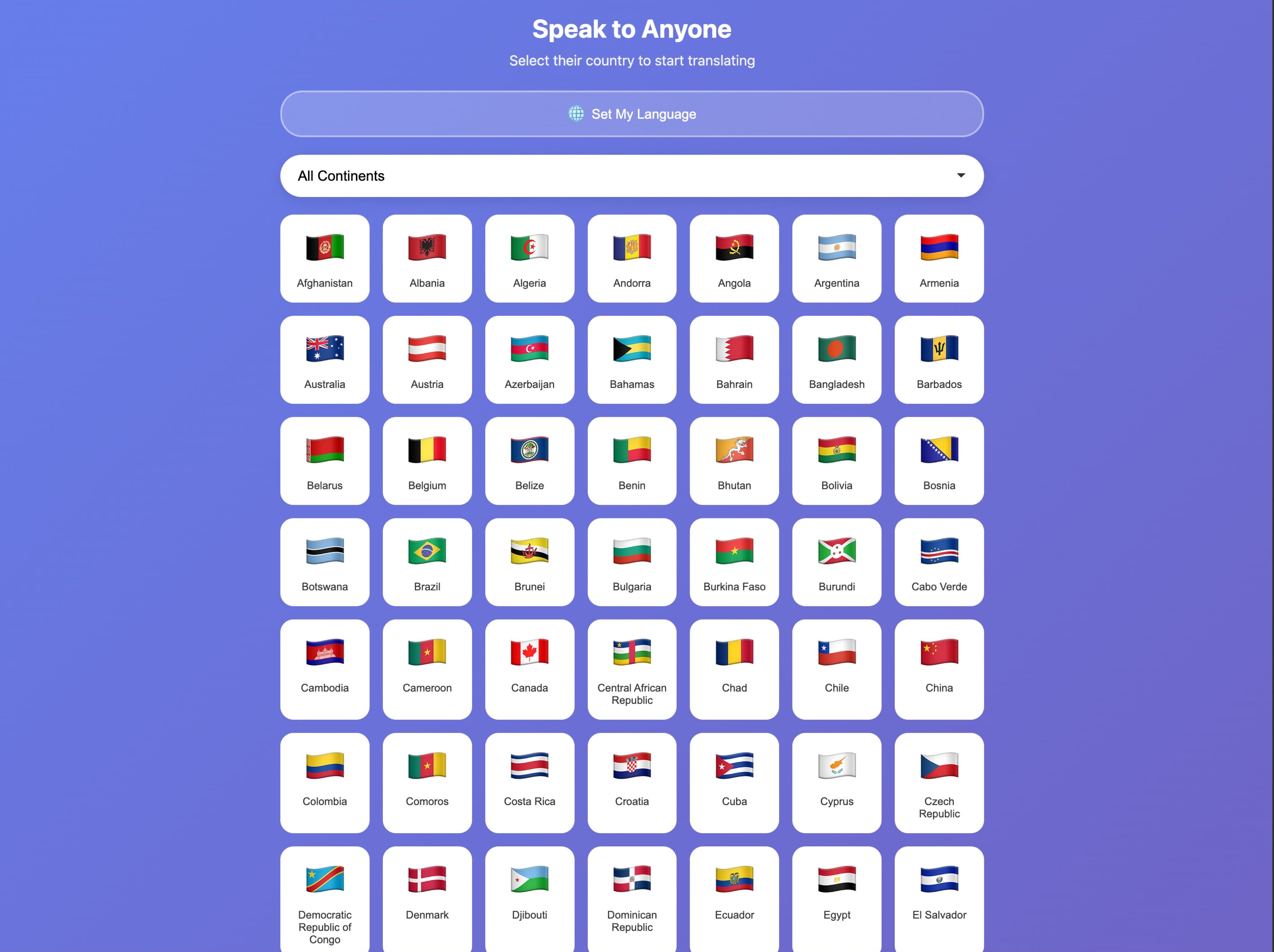
So I built a tool that starts with flags, not language names.
How Speak to Anyone works
You open sta.leemallon.com
It shows a list of flags
You point to the screen and the other person taps their flag
Once you have the country, you get a short list of likely languages spoken there
You choose the language and it opens Google Translate already set up from your language to theirs
That is it.

No account. No sign in. No onboarding. No feature creep. Fast on mobile.
It is designed to work in the time it takes to politely say hello.
Why the language shortlist matters
Many countries have multiple widely spoken languages, and the official language is not always the one you need in the moment.
So the tool does not just show the country and stop. It gives a shortlist of languages that are likely to be spoken by people from that country, so you can make a better first guess with fewer taps.

You can then confirm quickly through translation once you are in the right neighborhood.
Small details that make it usable
I cared about tiny practicalities, because this is a tool for real life friction.
Your language is saved, so you do not have to set it every time.

You can filter by continent, because scrolling through every country in the world is not fun when someone is waiting.
It does not try to replace Google Translate. It just gets you into the right configuration fast.
That is the entire point.
Who this is for
If you live in a global city, you already know this problem.
If you work in hospitality, property management, healthcare, education, retail, or customer service, you see it every day.
If you travel, you have probably felt it in airports and taxis and hotels.
Speak to Anyone is for anyone who wants to bridge that first moment with less awkwardness and more respect.
Sometimes the most valuable tools are not the most complex ones.
Built in this post
Speak to Anyone
Web